

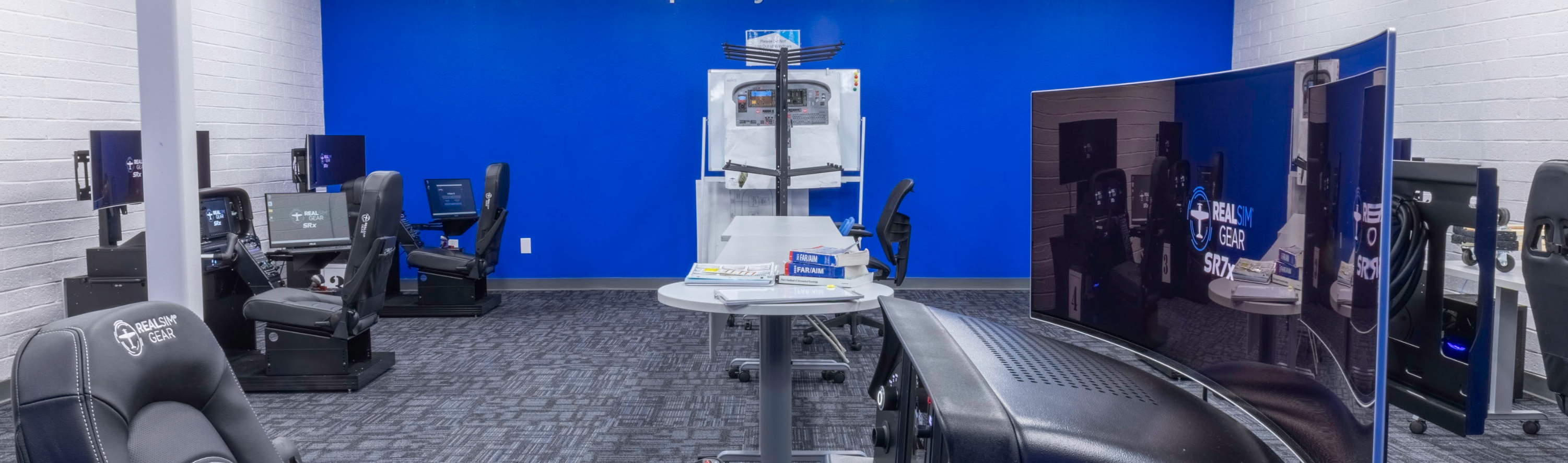
AATD vs BATD: FAA Flight Training Devices Explained
The FAA approves ground-based aviation training devices (ATDs) at two levels. A Basic Aviation Training Device (BATD) meets the basic standard. An Advanced Aviation Training Device (AATD) meets a higher one and earns correspondingly more credit toward a pilot's training and currency.
Both are approved under a Letter of Authorization issued to the manufacturer, and the approval covers a specific device configuration - hardware, avionics behavior and flight model together, ie the complete product. That distinction is the whole difference between an approved training device and a simulator put together from various components.
The two levels side by side
| BATD | AATD | |
|---|---|---|
| Standard | Basic FAA approval | Advanced FAA approval |
| Typical use | Procedures practice, individual currency, syllabus support | Part 61 and Part 141 training, instrument proficiency, collegiate programs |
| Instrument time creditable | Part 61: 10 hrs Part 141: 8.75 hrs |
Part 61: 20 hrs Part 141: 14 hrs |
| Commercial time creditable | None | Part 61: 50 hrs Part 141: 24 hrs |
| Who it suits | Owner-pilots, schools adding practice capacity | Part 141 and collegiate programs where device hours count toward ratings |
What a BATD gives you
A BATD is an FAA-approved device, and that matters more than most buyers expect. It has met a defined standard for control response, instrument presentation and flight model fidelity.
For an owner-pilot, a BATD is usually the right answer. It supports the procedural work that keeps you stay sharp between flights: approach briefings, flows, failure recognition, avionics fluency. Importantly, a BATD allows for logging of instrument approaches toward instrument currency. For a flight school, a BATD adds practice capacity alongside whatever approved devices already carry the syllabus hours.
Where a BATD stops being sufficient is when you need device time to count toward a rating in a structured program. That is the key additional benefit the AATD provides, as considerably more hours can be credited toward an instrument rating and a commercial certificate.
What an AATD adds
An AATD meets the higher approval standard, and the practical consequence is credit. Instrument time logged in an AATD counts toward ratings within the limits the FAA sets, which changes the economics of a training program rather than just supplementing it.
For a Part 141 or collegiate program, that credit makes the device a vital tool. It also changes how the device is scheduled, an AATD tends to carry timetabled syllabus hours rather than sitting available for optional practice.
Where the FTD sits above both
A Flight Training Device (FTD) is qualified, not approved. BATDs and AATDs are approved under a Letter of Authorization; FTDs are qualified under 14 CFR Part 60 and evaluated on-site by the FAA's National Simulator Program. Qualification attaches to a specific device, at a specific location, under a specific sponsor's training program, and it is renewed on a recurring evaluation cycle.
The surprise for most buyers is what an FTD does not add. At Level 5, the Part 61 hour credits are the same as an AATD's, the same instrument-rating cap, the same commercial allowances. Type-rating credit does not begin until the full flight simulator levels. If your goal is creditable instrument time in a Part 61 or 141 syllabus, an AATD already gets you there.
What Level 5 does add is scope:
- The full IPC. An AATD can complete most instrument proficiency check tasks where its LOA allows, but never the circling approach, the landing, or the multi-engine tasks, and those send the pilot to an aircraft or a higher device. A Level 5 FTD finishes the entire check, so it both maintains and restores instrument currency.
- Standing inside formal programs. Level 5 can substitute for currency and recurrent checking events within an approved Part 142, 121 or 135 curriculum. An AATD generally cannot.
- Insurance acceptance. For owner-pilot turboprops in particular, underwriters may accept a Level 5 device for recurrent training as part of a pre-approved syllabus.
- Level 6 and above add a fully aircraft-specific aerodynamic model validated to flight-test data, full-envelope control loading, and extended-envelope credit such as stall recovery and Upset Prevention and Recovery Training (UPRT).
FTDs serve airline, Part 142 and large institutional programs. For the collegiate, Part 141 and owner-pilot work most buyers are sizing a device for, the AATD delivers the credit that matters at a fraction of the cost and with far less operational overhead.
Which RealSimGear systems hold which approval
RealSimGear holds FAA approval across both levels. The Pro Series is approved as AATD; the Home Series is approved as BATD.
| Approval | Systems | Aircraft |
|---|---|---|
| FAA AATD | SR7x Pro, SRx Pro, DAx Pro, SFx Pro | Cirrus SR20, SR22, SR22T, SF50. Diamond DA40NG |
| FAA BATD | SR7x Home, SRx Home, DAx Home, SFx Home, Cx Home, Cirrus Desktop Console package | Cirrus SR20, SR22, SR22T, SF50. Diamond DA40NG. Cessna 172, 182. Piper Archer TX |
Choosing between them
A BATD is the right choice if the device supports individual currency and procedures work, an owner-pilot staying sharp between flights, or a school adding capacity alongside existing approved devices.
An AATD is the right choice if you run a Part 141 or collegiate program, need instrument time to count toward ratings, or expect the device to carry scheduled syllabus hours. An AATD allows for a significant amount of time to count towards Instrument, Commercial and ATP.
The practical difference is the hours credited. Programs that plan around AATD credit from the outset tend to get more from the device than those that add it afterwards.
Why aircraft-specific matters at either level
An approval confirms a device meets a standard. It does not, on its own, mean the device matches the aircraft your students fly.
RealSimGear builds to specific airframes and avionics - panel layout, switch positions, autopilot behavior and display logic correspond to the aircraft rather than to a generic cockpit. For any program, that is the difference between a device that reinforces the flows students use in the aircraft and one that teaches a second, competing set of habits. This is one thing that sets RealSimGear apart: the main simulator console is a replica of the real aircraft, and that is common to every level of the product line. What differentiates the Home Series from the Pro Series and above is the peripherals and accessories surrounding the main panel.
Programs flying these devices
- Texas Southern University - SR7x Pro simulators supporting the collegiate flight program
- Palomar Aviation - SR7x AATD in daily use for proficiency training
- Fanshawe College - DAx DA40NG systems
- Vincennes University - SR7x systems across its Cirrus training fleet
Common questions
Does the approval transfer to my school automatically?
The Letter of Authorization is issued to the manufacturer for the device configuration. Your program uses the approved device under that authorization and you do not need to apply separately for the device itself. Your own training course outline still needs to reflect how the device is used.
Can a BATD or AATD be used for an instrument proficiency check?
Partially, and only an AATD. Where its Letter of Authorization allows, an AATD can cover most IPC tasks, but not the circling approach, the landing or the multi-engine tasks, so the check cannot be completed in the device alone. A BATD does not carry IPC standing. Both levels can be used to log approaches toward maintaining instrument currency; restoring lapsed currency is what requires the IPC.
What happens when the avionics are updated?
RealSimGear maintains the approved configuration through the device lifecycle. Software updates keep the device current with the aircraft it represents. All Pro Series products come with a Signature Support package, and as long as that support plan is active, product updates and warranty are provided.
How do programs usually fund these?
Many fund training devices through FAA Aviation Workforce Development grants, comparable state and federal workforce programs or other grant initiatives. There is also a strong business case for AATDs on their own economics, as outlined in this article. RealSimGear now offers financing, quotes and information available here.
Next steps
To see configurations, aircraft and pricing, the full range of FAA-approved RealSimGear training devices sets it out.
If you are scoping a device for a flight school, university program or training organization, our sales team works through syllabus fit, installation and integration, and is happy to talk it through before you commit to a category.
A Training Partner, Not Just Equipment
RealSimGear works alongside training organizations to deliver enterprise-grade simulation solutions that integrate seamlessly into instructional workflows and long-term training objectives.


Built for Your Environment
From universities to simulation labs and corporate flight departments, we adapt hardware, software, and integration workflows to meet your specific operational requirements.
Training, Not Just Hardware
We go beyond just hardware, working directly with instructors and your teams to configure, install, and optimize systems that improve real training outcomes.
Designed to Evolve
Our solutions are built to adapt as training needs change, supporting new curricula, aircraft platforms, and operational requirements over time.
Built For Daily Use
Designed for continuous use in demanding training environments, delivering reliable performance backed by responsive support.
Speak to a Partnership Specialist
Get in touch with our team to discuss simulator options, installation, and integration for your organization. Whether you’re outfitting a single classroom or an entire training facility, we’ll help you choose the right systems, customize your setup, and support you every step of the way.