

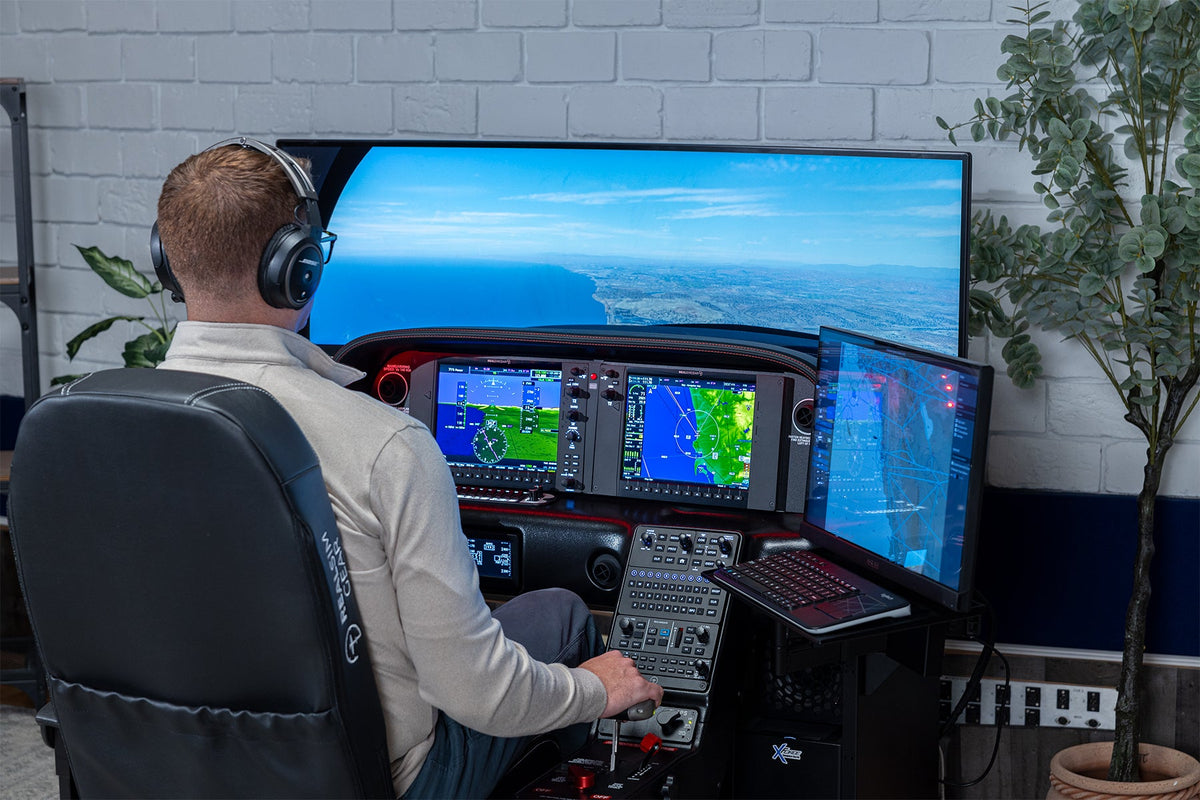
The Pilot’s Gift Guide: Five Ways to Put Real Avionics Under the Tree
From a single G5 bezel to a full Cirrus cockpit, here is what to buy the pilot in your life, who each system is for, and what it actually does for their flying.
November 23, 20266 min readG5, GTN750, Cessna Home, SRx Home

The best gift for a pilot is not another headset bag. It is time in the procedures. Every system below puts real hardware in their hands, the same knobs, the same button logic, the same flows they will use in the aircraft, so the practice they do at home transfers directly to the flight deck.
We have sorted this guide by budget, starting at $349 and ending with a full-scale cockpit. For each one: who it suits, why they would want it, and what it changes about the way they train.
01G5 PFD/HSI, $349
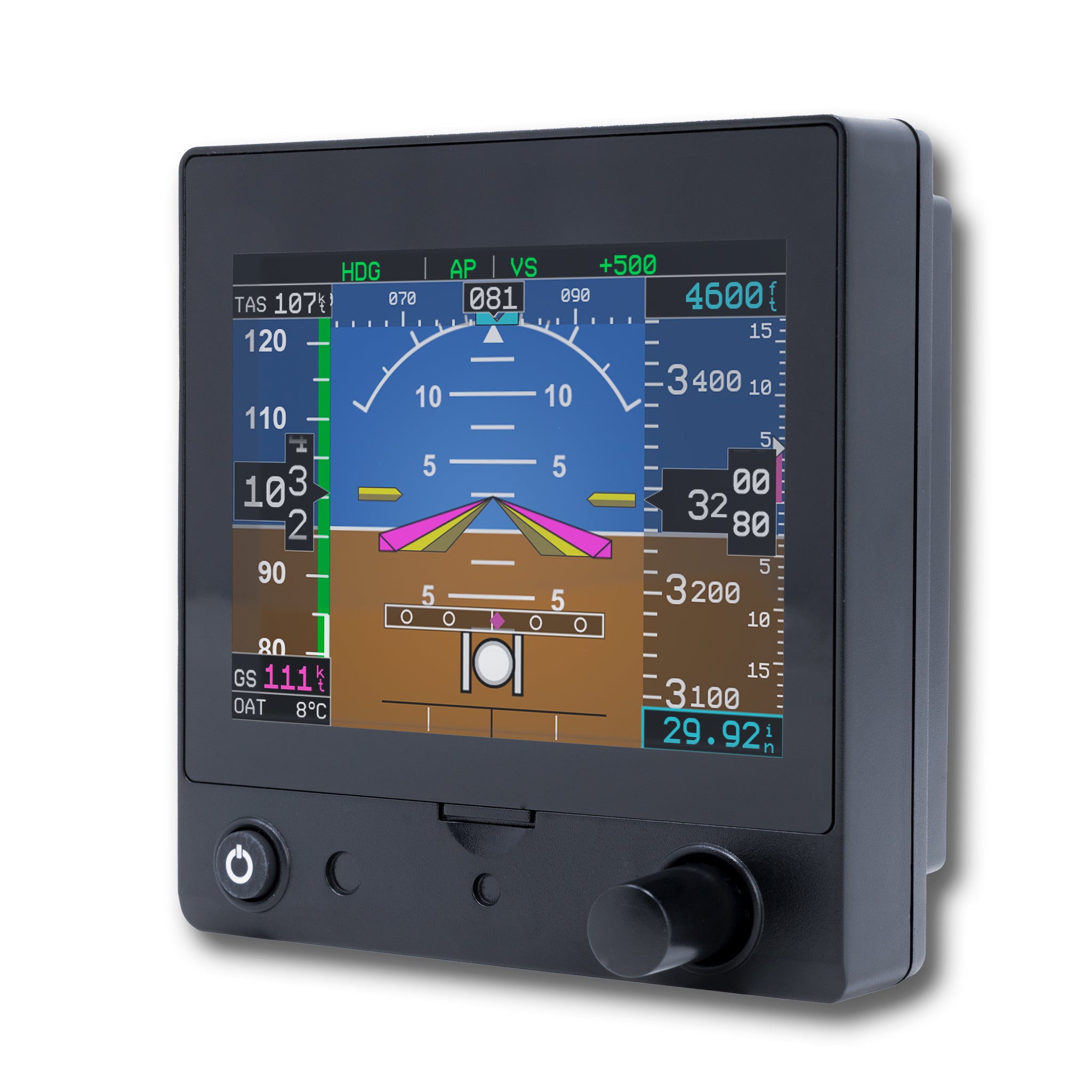
The RealSimGear Single G5 PFD/HSI.
Who it is for
The pilot flying a G5-equipped aircraft, or anyone moving from steam gauges to a glass PFD. It is also the natural first piece of hardware for someone curious about building a home panel but not ready to commit to a full suite.
Why they would want it
The RealSimGear Single G5 PFD/HSI matches the size, look and feel of the real instrument, down to the backlit power button and the push button knob that drives every menu. Rather than learning the instrument with a mouse, they learn it with their fingers.
What it does for their training
Menu structure is where most pilots lose time in the aircraft. Setting baro, swapping PFD and HSI pages, bugging a heading under workload: these become muscle memory at home instead of a distraction at 3,000 feet. For an instrument student, that is more time concentrating on flying and less time learning the instruments.
- →Ships in 1 to 2 days, fully assembled and tested
- →X-Plane 12 with RealSimGear G5 software*
- →X-Plane 11/12 and MSFS 2020/2024 with Air Manager
02GTN750 and GFC500 Bundle, $989
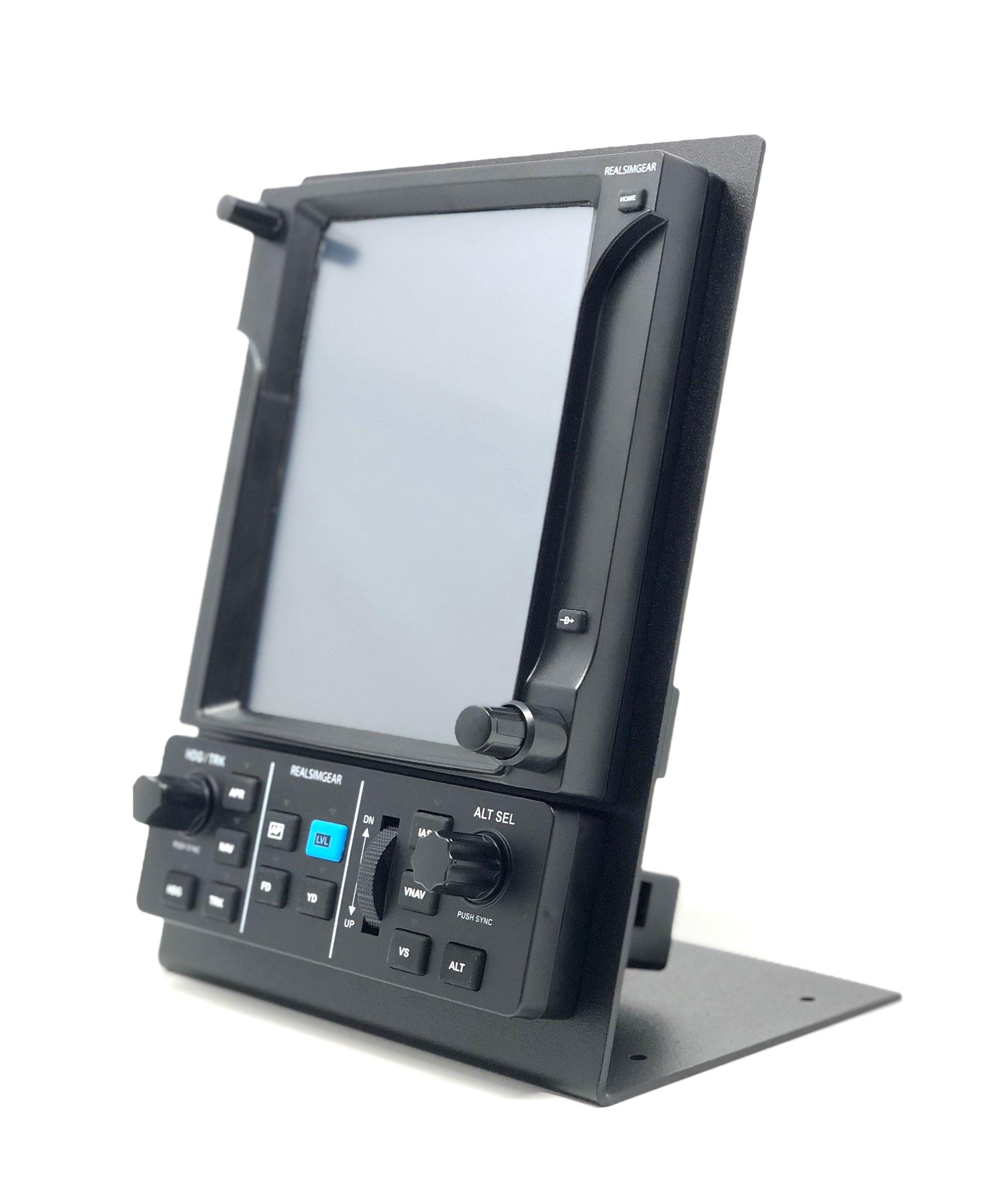
The GTN750 and GFC500 bundle, shown on the included dual stand.
Who it is for
The pilot flying behind a GTN 750 and a GFC 500. This is a combination that shows up in retrofitted 172s, Bonanzas and plenty of other upgraded panels. It also suits the sim builder who wants the navigator and the autopilot sorted in a single purchase.
Why they would want it
The GTN750 and GFC500 Bundle puts both units and the dual stand in one box. The GTN750 uses a responsive touch screen that drives all of its on-screen functions, and it also carries transponder and full audio panel control, so one unit covers a lot of the panel. The GFC500 autopilot controller sits alongside it.
What it does for their training
IFR workload lives in the navigator and the autopilot. Loading an approach, swapping an arrival on a reroute, changing modes during a missed approach, confirming what the autopilot is actually doing: all of it is touch and button work that can go badly if it is unfamiliar. Practicing those flows at home means less head-down time in the aircraft when the clearance changes.
03G1000 Suite Honeycomb Bundle, $2,399

The G1000 Suite with the Honeycomb Alpha yoke and Bravo throttle quadrant.
Who it is for
The person giving one gift that covers the whole cockpit. It suits a student pilot starting from nothing, or a family buying together for someone who already has the simulator but is still flying it with a mouse and a keyboard.
Why they would want it
The G1000 Suite Honeycomb Bundle pairs the full suite, stand and mounting bracket included, with the Honeycomb Alpha yoke and Bravo throttle quadrant. The Bravo adds an integrated autopilot panel, a trim wheel and interchangeable levers for single or multi-engine work. Nothing else to source, nothing to configure from scratch.
What it does for their training
Avionics proficiency and hand flying stop being separate exercises. They can fly an approach with the autopilot panel within reach and the G1000 at their fingertips, which is how the workload actually arrives in the aircraft. The footprint stays small enough for a spare room or an office desk.
Compatible with X-Plane 12, MSFS 2020 and MSFS 2024.
04Cessna Home Package, from $18,995

The Cessna Home Package, shown with the 49 inch ultra-wide visual system.
Who it is for
For a Cessna 172 or 182 owner, a student working toward an instrument rating, or a family making a significant gift to someone whose training time is limited by aircraft availability and weather.
Why they would want it
The Cessna Home Package is a self contained cockpit: full-scale molded panels with lighting and glare shield, replica G1000 panels with audio panel and autopilot integration, a Cessna style yoke and throttle quadrant, an integrated simulator PC, and a 49 inch ultra-wide OLED visual system. Basic and Premium configurations are available, with standard G1000 or NXi avionics, for the C172, C182 and C182T.
What it does for their training
This is where training stops depending on the schedule. It allows normal and abnormal procedures, avionics transitions, scenario based IFR work, to be practiced at any time, in any weather. Configured with the optional FAA Basic Aviation Training Device approval, eligible time can be logged toward an instrument rating and to maintain instrument currency.
05SRx Home Package, $27,995

The SRx Home, a full-scale Cirrus SR Series cockpit.
Who it is for
For the Cirrus SR20, SR22 or SR22T owner or pilot. This is the gift for someone who flies a high performance single engine Cirrus and takes currency seriously.
Why they would want it
The SRx Home is a full-scale SR Series cockpit with a force feedback Cirrus yoke, aircraft-specific throttle console and switch panels, emulated Garmin Perspective+ avionics (Perspective and Avidyne also available), an instructor station and 49 inch ultra-wide OLED visuals, running on X-Plane 12.
What it does for their training
Cirrus pilots fly a specific set of flows, and those flows decay without use. Because the panel layout, controls, and the avionics behavior match the aircraft, learning transfers easily between simulator and real aircraft. Configured with FAA BATD approval, the SRx Home supports eligible logged time (up to 10 hours) toward an instrument rating and maintenance of instrument currency.
- →Stay current between flights, on your own schedule
- →Rehearse normal and abnormal procedures
- →Practice transitions and new avionics workflows
- →Warranty, software updates and signature technical support included
PLUSGift Card, $50 to $250

The RealSimGear gift certificate, available in $50, $100 and $250 amounts.
Who it is for
Gift cards are perfect for a person who might know exactly which unit they want, or for someone not exactly sure what to buy.
Why they would want it
A RealSimGear gift certificate comes in $50, $100 and $250 amounts, arrives by email with instructions for redeeming it at checkout, carries no extra processing fees, and does not expire. Nothing to ship and nothing to return.
What it does for their training
Home panels tend to grow one piece at a time, and the right next piece might be a higly personal choice. A gift card allows them choose that themselves, or put it toward a larger package later, since it does not expire.
Still deciding?
If you are not sure which one fits, tell us what they fly, how much space they have and what they are training for. Our team flies too, and we are happy to help point you in the right direction. Call, text or email, or start with our support team if you have technical questions first.
*Prices shown are current at the time of writing and subject to change. RealSimGear G5 software is sold separately through X-Aviation. HDMI cables are not supplied with avionics components. FAA BATD approval is an optional add-on on Home packages. Slight differences may exist between simulated and real hardware.
Not sure which one to buy?
Tell us the aircraft they fly, the space they have and the budget. We will tell you honestly what fits.
TALK TO US BROWSE ALL PRODUCTS*Availability and pricing vary by configuration. Contact us for current lead times.
© 2026 RealSimGear. Built for the pilots who train at home.
Share:
Flight Simulator Financing: How It Works at RealSimGear