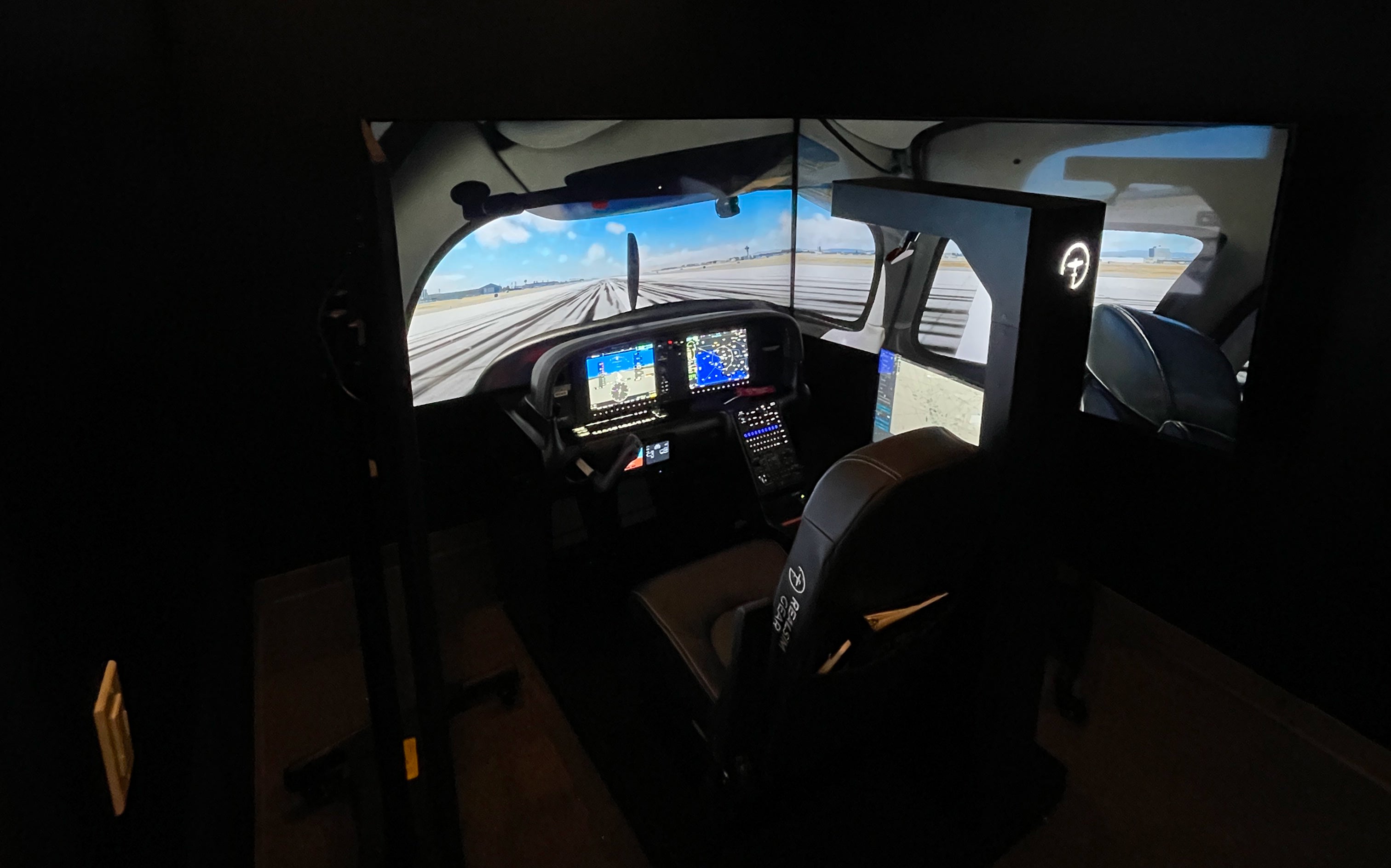

The SR Series Cockpit Experience
The SRx Series Experience delivers a refined Cirrus training environment designed for G2–G6 aircraft, with an emphasis on high-fidelity Perspective+ avionics integration. Available in Desktop, Home, and Pro configurations, each system provides a powerful tool for building proficiency, maintaining currency, and strengthening real-world confidence. Whether for personal skill development or structured training, the SRx Series brings high fidelity training to any setting.

Our SRx Turnkey Systems
Cirrus Specific Controls
Accurate Avionics
Fully Integrated
FAA Approved


What's Included
An integrated system designed for Cirrus training

The Hardware
- Force-feedback Cirrus-style yoke
- Cirrus-specific flight controls and switch interfaces
- High-resolution visual display/TV included
- Performance-tuned PC included
- Integrated cable management for a clean, turnkey setup
- Robust construction designed for everyday training use
- Professional-grade materials and consistent, reliable feel
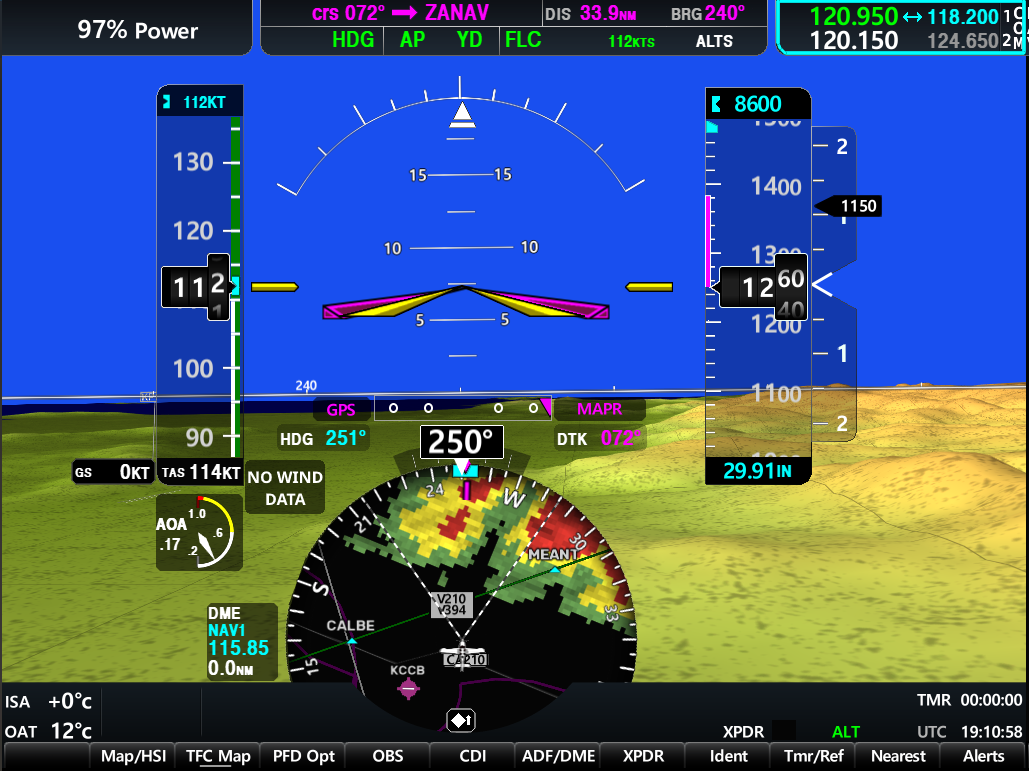
The Software
The SRx software suite delivers a turnkey Cirrus experience, including high-fidelity avionics with full RNAV/VNAV capability, Synthetic Vision, and authentic engine and systems pages. You can run real-world procedures using integrated checklists, charts (Jepp or FAA), and scenario-based training tools, plus optional ATC integration for immersive sessions. All systems include automatic updates and remote support, so everything is ready to fly from day one.
Compare SRx Packages
Instrument-focused pilots wanting full realism in a compact, portable setup.
Cirrus owners and new pilots needing a complete, turnkey cockpit with optional BATD approval.
Professional training organizations and users who require the highest-level SRx platform.
- Small footprint
- Fits on most desks or adjustable stands.
- Mid-size cockpit footprint
- Requires a dedicated corner or small room.
- Largest footprint
- Full cockpit platform with multi-display space requirements.
- Remote tutorial & configuration
- Signature Support Plan
- Room-of-choice delivery
- Remote tutorial & setup
- Signature Support Plan
- White Glove Installation
- Onsite training
- Signature Support Plan
- BATD optional
- BATD optional
- AATD Included
- Custom SKB travel case
- Triple-screen visuals
- Onsite installation
- 6 DOF Motion platform
- Projection visuals
FAQs
Please read our FAQs page to find out more.
What kind of warranty and support do the SRx systems include?
All SRx systems include hardware warranty coverage along with access to our remote support team for troubleshooting, software updates, and general assistance.
Can I use my own PC or TV/monitor with an SRx system?
Yes, your own PC or TV can be used as long as it meets the required performance and compatibility specifications. Our team will review your hardware to ensure optimal visuals and avionics performance before setup.
Can I upgrade my system later?
Yes. The SRx lineup supports upgrades such as expanded visuals, FAA BATD/AATD approval, motion platforms (Pro), projection systems, and accessories. Your setup can grow as your training needs evolve.
Do you ship internationally?
Yes. SRx systems can be shipped worldwide. Delivery options and service levels vary by region—contact our team for details on logistics, customs, and support availability.
What can I do with FAA approval?
FAA BATD/AATD approval allows you to log instrument currency, and training hours toward a Private, Instrument, or Commercial rating. Learn more about FAA approvals.
Experience the Simulator Before You Buy
Get hands-on with a RealSimGear simulator at one of our demo locations. Feel the controls, interact with the avionics, and experience the realism firsthand.
Find the demo location closest to you, then request a demo and we’ll connect you with a representative to set up your visit.