

Master the Vision Jet: The SFx Series
The SFx Series delivers a high-fidelity Vision Jet training platform designed specifically for type rating preparation and recurrent proficiency. With Home and Pro configurations available, each system mirrors the Vision Jet cockpit and perspective+ touch avionics, giving pilots the ability to master flows, emergencies, and automation in a structured, realistic environment.

Our SFx Turnkey Systems
FAA Approved
White Glove Installation & Training
Emergency Scenarios
Type Rating Prep


Testimonials
“For any Vision Jet pilot, this sim setup isn’t just a luxury—it’s a game-changer.”
— Mark A.
“The realism, especially in the G3000 and flight dynamics, is spot-on—it’s the perfect tool for sharpening procedures and staying current between real-world flights.”
— David C.
“The best $80K for an FAA approved Sim. Heck, for $3.6M Cirrus should issue every new customer one of these.”
— Gavin S.
What's Included
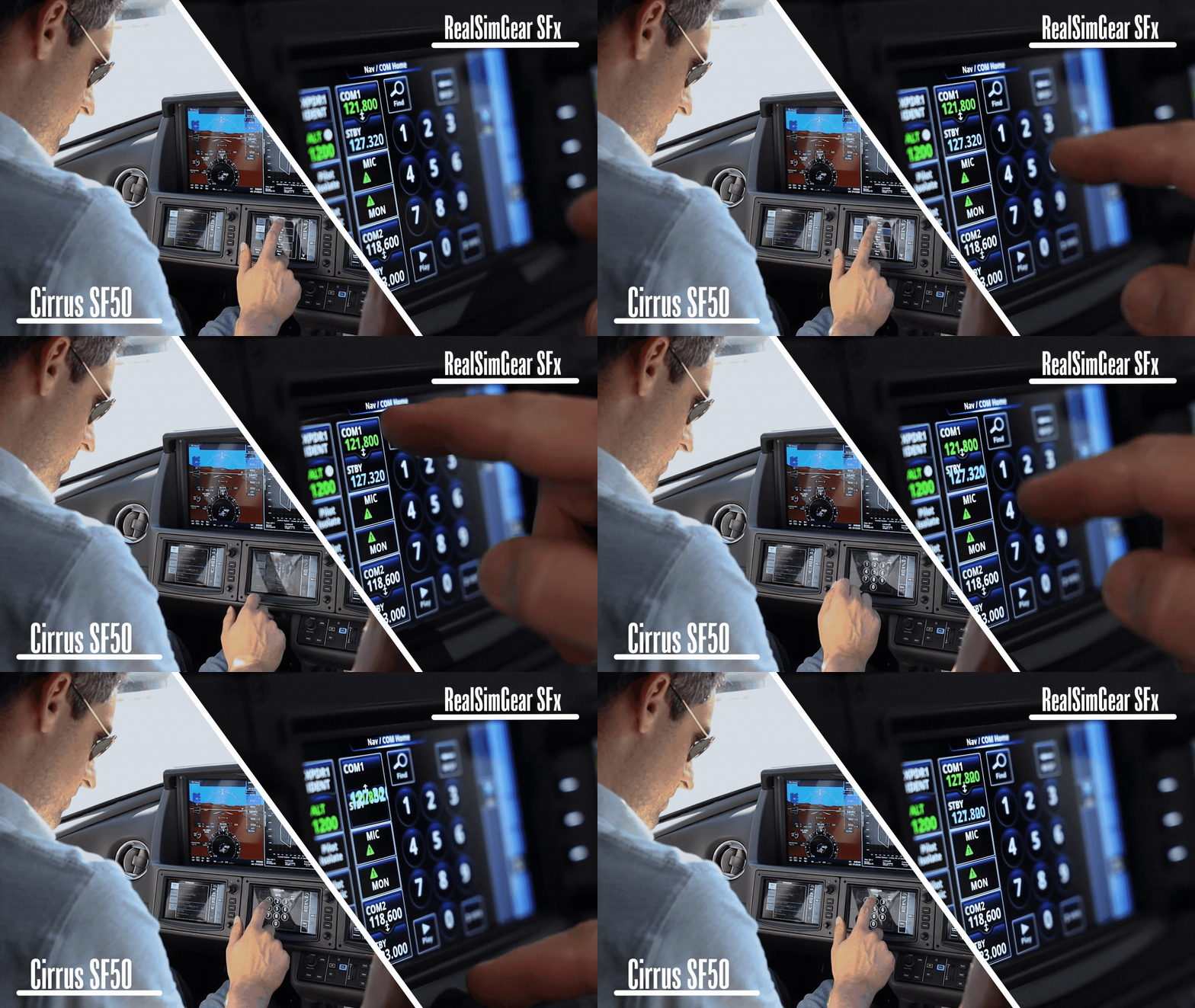
The SFx platform recreates the Cirrus Vision Jet cockpit with a high level of realism, powered by RealSimGear’s Onboard Avionics Software to emulate the Perspective Touch+ workflow. Each physical control and panel has been precisely modeled to reflect its real Vision Jet counterpart, including:

The Hardware
- G3000-style PFD and MFD displays
- GTC 580–style touchscreen controllers
- Landing gear, switch panel, and environmental controls
- Force-feedback Vision Jet side-stick
- Throttle unit with auto-throttle and auto-trim wheel
- CAPS handle & Overhead Panel
- Realistic seat with integrated mounting system
- Fully self-contained platform
- Integrated, performance-tuned computing
The Software
The SFx software suite mirrors Perspective Touch+ avionics with full RNAV/VNAV capability, Initialization sequences, checklists, engine/system pages, and FAA or Jepp chart integration. Scenario tools, optional ATC, and advanced failure modeling support type rating and recurrent training. Automatic updates and remote support keep every system ready to fly.
Compare SFx Packages
SF owners focused on avionics and procedural aspects.
SF owners looking for a complete cockpit training solution.
Mid-size cockpit footprint; requires a dedicated corner or small room.
Largest footprint; full cockpit platform with multi-display space requirements.
Room-of-choice delivery, remote tutorial & setup
White Glove Installation & onsite training
BATD Optional
AATD Included
Triple-screen visuals, onsite installation
6 DOF Motion platform, projection visuals

From Vectored Approach
Stephen Pitts, owner of Vectored Approach, shares why RealSimGear simulators play a key role in delivering reliable, standardized training at a Platinum Cirrus Training Center.
FAQs
Please read our FAQs page to find out more.
What kind of warranty and support do the SFx systems include?
All SFx systems include hardware warranty coverage along with access to our remote support team for troubleshooting, software updates, and general assistance.
Can I use my own PC or TV/monitor with an SFx system?
You can use your own TV(s), but the Home and Pro systems include an integrated, performance-tuned PC, so external computers are not supported for those configurations.
Do you ship internationally?
Yes. SFx systems can be shipped worldwide. Delivery options and service levels vary by region, contact our team for details on logistics, customs, and support availability.
What can I do with FAA approval?
FAA BATD/AATD approval allows you to log instrument currency, and training hours toward a Private, Instrument, or Commercial rating. Learn more about FAA approvals.
Experience the Simulator Before You Buy
Get hands-on with a RealSimGear simulator at one of our demo locations. Feel the controls, interact with the avionics, and experience the realism firsthand.
Find the demo location closest to you, then request a demo and we’ll connect you with a representative to set up your visit.
